TONETRAX MUSIC PRODUCTION

Software Tools
For personal use only. Use at your own risk. For more information, see the included README file. No warranty or liability is accepted to the extent permitted by law.
Universal Track Link Finder
Portable Windows app for finding, checking, and exporting track and album links across streaming platforms.
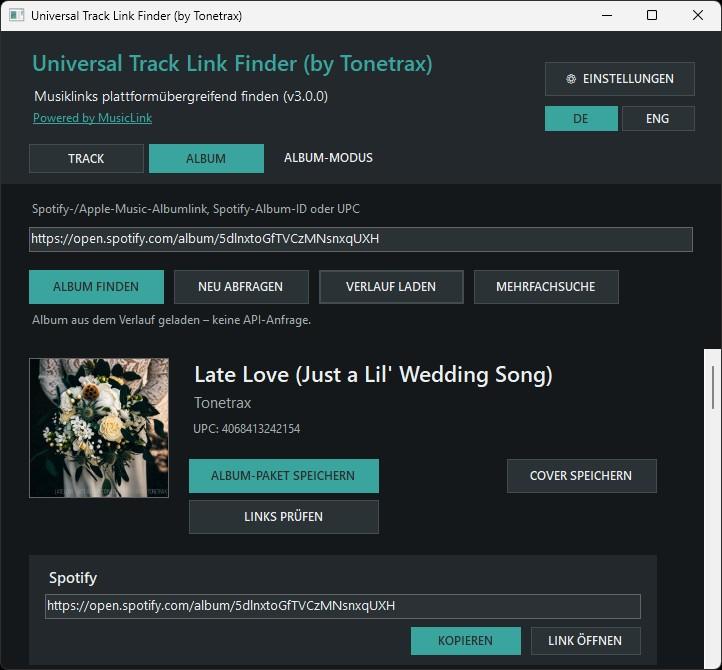
Download „Universal_Track_Link_Finder_v3.0.0_Complete“ (Windows, ZIP, incl. EXE, source code, build script, README, 250 kB)
Key features:
- Search using Spotify or Apple Music links, Spotify IDs, ISRCs for tracks, or UPCs for albums
- View, copy, open, and check the links found for each platform
- Save cover art in the original sizes available
- Browse your history and refresh selected entries with a review of any changes
- Search multiple tracks or albums and export the results as JSON, TXT, or CSV
- Local cache, German and English interface, customizable themes
BackupStart
Portable Windows app for secure, versioned folder backups using Robocopy, with automatic backups at Windows startup and customizable backup retention.
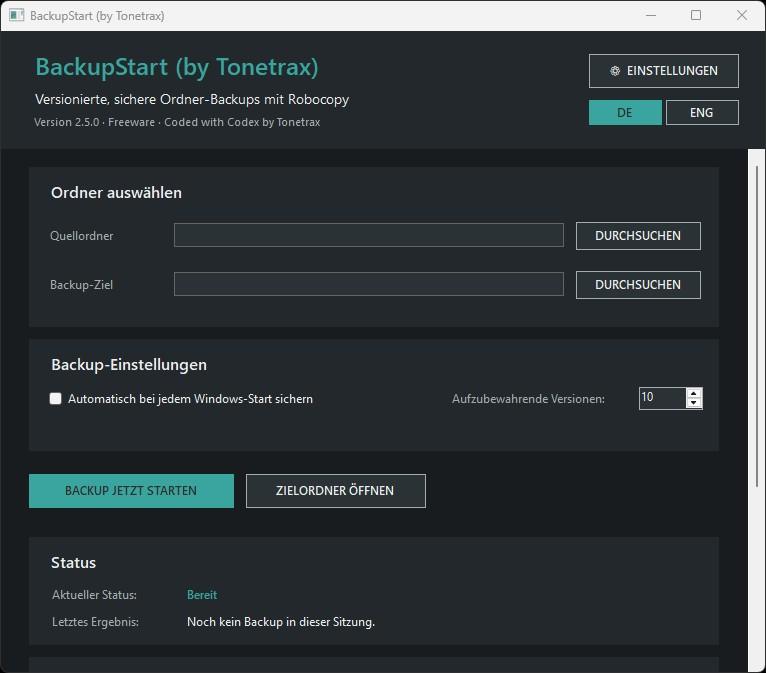
Download „BackupStart_by_Tonetrax_v2.5.0_Complete“ (Windows, ZIP, incl. EXE, source code, build script, README, 80 kB)
Key features:
- Select source and destination folders with native Windows dialogs
- Create complete, timestamped backup snapshots with Robocopy
- Preserve historical file versions — no
/MIRmirroring - Set the number of retained backup versions from 1 to 10
- Automatically run backups at Windows startup
- Prevent duplicate simultaneous backup runs
- View live status, latest result, and detailed backup logs
- Open the backup destination directly from the app
- Portable configuration and logs stored next to the EXE